Escape stopped an answer while it streamed, and so did a cancel button in the composer. I designed the chat in Figma and built its frontend in React until I left in July 2026. It was the most-iterated component in the app, at 450+ changes.
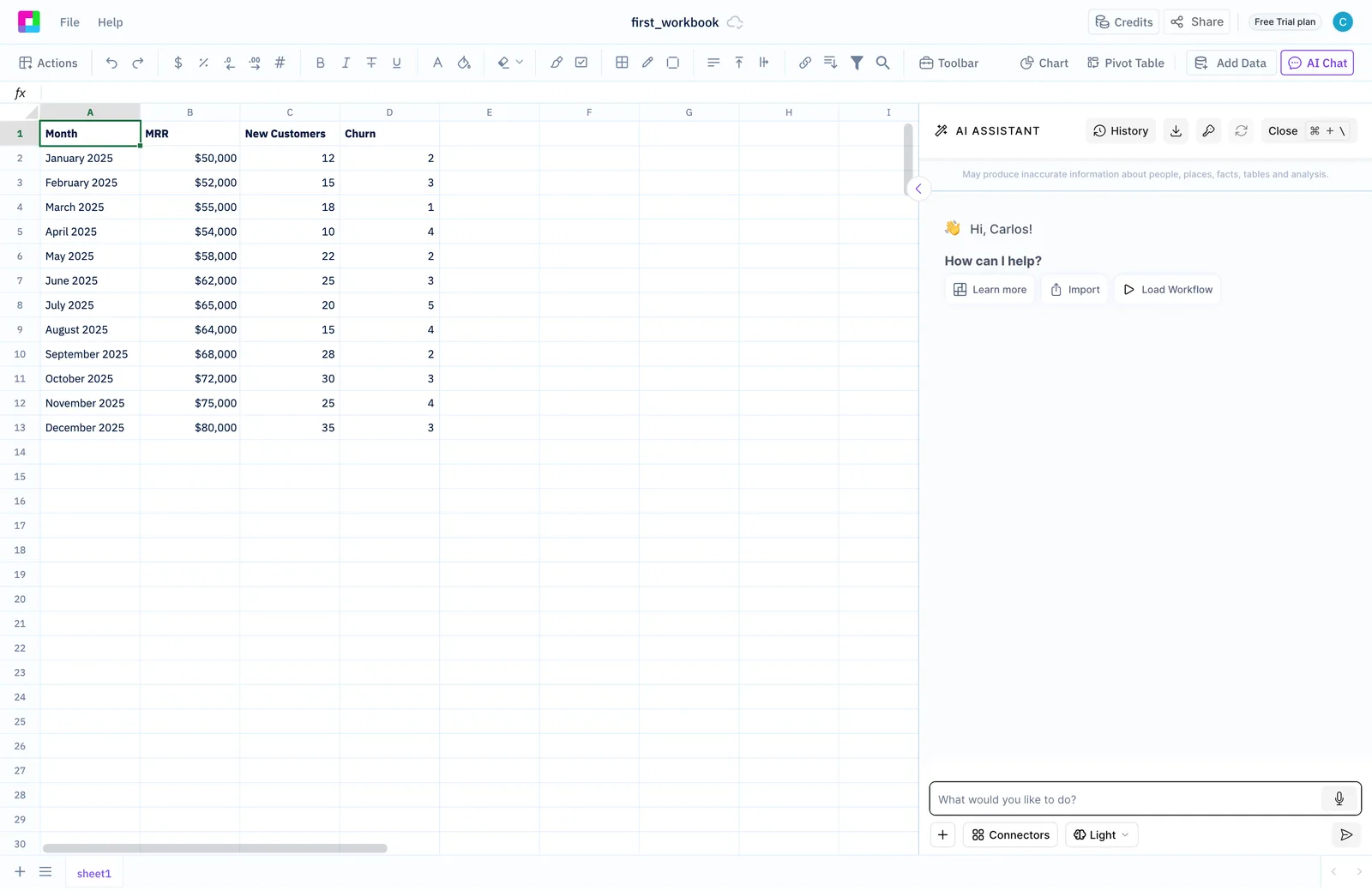
The assistant in that panel read and wrote the spreadsheet on the left, and the chat was how you told it what to do. The panel saw 63k+ first-chat interactions a year. Onboarding could start the conversation for a new user. The chat had to stream the model’s response without jank, let you cancel it, hold together when an image upload crawled, and charge for usage without ever blocking someone mid-task.
Never send twice
Messages the app sent on a user’s behalf waited in a queue that drained only after the current response finished, so nothing got dropped and nothing went out twice. A slow image upload could fire the send twice, a race that only showed up on hotel wifi, and I fixed it.
Payment inside the conversation
I handled the server’s 402 limit responses in the chat and the app’s dialogs, and wired the credit-card modal into the chat flow so it could take payment without stepping on the conversation. I also designed the input bar’s states for context and credits, among them a “Heavy Conversation Detected” warning and a “Longer conversation spends credits faster” banner with “Start new chat”.
Point the assistant at the data
To tell the assistant which source to use, you typed @ in the composer and picked from an autocomplete of connectors, shown as a tree, plus tables and files. I built the @-mentions in 2026, with Jest tests. The mic in the screenshot is voice input on the browser’s Web Speech API, and I worked on it in 2025.
The panel, drawn before it was coded
Five Figma files in my design archive trace the chat over three years.
| Last edited | What the Figma file holds |
|---|---|
| Mar 2023 | A “Chat GPT Challenge” brainstorm board in FigJam, where one of my stickies says “voice assistant” |
| Jun 2024 | How the chat shows generated code and result tables |
| Jul 2024 | The side panel, with tabbed conversations and a model picker |
| Aug 2024 | The Routes menu (Analyze, Modify, Formula, Generate, Plot, SQL), a model selector and greetings tagged by route |
| May 2026 | Input-bar states for context and credits |
In code, I styled the chat’s first panel in 2023 and later moved it onto Tailwind and shadcn/ui. I added its model-tier selector, the Light dropdown in the screenshot, in 2026.
The streaming and queue logic stayed in the component, and the cancel and upload-race paths never got end-to-end tests. If I went back, I’d pull that logic into one reusable hook and cover those two paths first, because they’re exactly the ones that break the day after you stop looking.